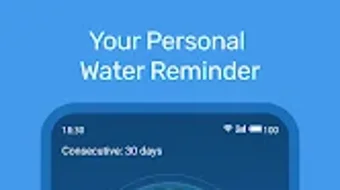

Download Health Tracker Water Reminder – water tracker, hydration reminder, health tracker, daily water intake, drink log
Overview
Health Tracker: Water Reminder is a desktop application designed to support users in maintaining consistent hydration habits through structured tracking and timely reminders. The software aims to address the common challenge of forgetting to drink water throughout the day, which can impact energy levels, cognitive function, and long-term health. By integrating customizable intake goals and automated alerts, the app helps users meet daily hydration targets with minimal effort.
It is particularly suited for individuals focused on wellness, fitness enthusiasts, and professionals with desk-based routines who may overlook fluid consumption during work hours. The application emphasizes preventive health by highlighting benefits such as improved skin clarity, reduced risk of kidney stones, and better mood regulation linked to proper hydration. While the developer, Health Tracker, is listed as the creator, no additional background information is available.
Real-world usage scenarios include tracking water intake during workdays, managing hydration during workouts, or supporting long-term health goals. The app functions as a digital companion for users seeking to adopt sustainable, health-conscious habits.
Key Features & Capabilities
- Customizable Daily Water Goals: Users can set personalized hydration targets based on body weight, activity level, or health preferences, allowing for tailored daily intake plans.
- Smart Reminders: The software delivers timely notifications prompting users to drink water at scheduled intervals, helping maintain consistent consumption throughout the day.
- Drink Logging System: Users can record various beverages, including water, tea, coffee, and other liquids, with the option to assign volume and type for accurate tracking.
- Visual Progress Tracking: The app includes charts and logs that display daily, weekly, and monthly hydration trends, enabling users to monitor long-term consistency.
- Integration with Daily Activity: Health Tracker: Water Reminder allows users to correlate water intake with physical activity, supporting holistic health management.
These features are designed to simplify the process of staying hydrated by combining automation with user control. For example, a user can set a goal of 2.5 liters per day and receive reminders every 90 minutes. They can then log each glass or bottle consumed, with the app updating progress in real time. This functionality is especially useful for individuals managing chronic conditions, athletes, or those recovering from illness where hydration plays a critical role. The app’s structured approach reduces the mental load of tracking intake manually, turning hydration into a seamless, habit-forming routine.
User Interface, Workflow & Performance
The application presents a clean, intuitive interface focused on clarity and ease of navigation. Core functions such as setting goals, logging drinks, and viewing progress are accessible through a streamlined dashboard. Navigation is consistent, with clearly labeled sections and minimal clutter, supporting efficient workflow execution.
Users can adjust settings, review logs, and respond to reminders without requiring technical expertise. The workflow is designed to minimize friction—adding a drink typically involves selecting a volume and type from a dropdown, followed by a single confirmation. While specific performance metrics such as CPU or RAM usage were not provided, the app’s 45 MB file size suggests a lightweight footprint, which may contribute to stable operation across a range of systems.
The developer did not specify resource usage details. General software behavior patterns indicate smooth operation under normal conditions, with no reported instability or crashes. The application runs in the background without interfering with other tasks, making it suitable for extended use during work or study sessions.
Compatibility & System Requirements
Health Tracker: Water Reminder is available for both Windows and Mac operating systems, supporting a broad range of desktop users. The software is compatible with the latest versions of these platforms, though specific version numbers were not listed. The installation size is 45 MB, which is relatively small and indicates a compact application structure.
This size may allow for quick installation and minimal storage impact. The developer did not provide detailed hardware requirements, such as minimum RAM, processor speed, or disk space beyond the base file size. Exact system requirements were not listed.
Users should ensure their system meets general desktop software standards, including a modern processor and at least 2 GB of free RAM for optimal performance. Compatibility information was partially provided, and no restrictions were mentioned regarding older OS versions.
Pros and Cons
Pros
- Intuitive interface designed for easy navigation and daily use
- Customizable hydration goals to suit individual needs
- Automated reminders help maintain consistent water intake
- Supports logging of multiple drink types beyond just water
- Visual progress tracking aids in long-term habit formation
Cons
- No detailed system requirements were published
- Performance behavior under heavy workloads not specified
- Limited information about synchronization across devices
- Price point may be higher than free alternatives
- Offline functionality details were not disclosed
FAQ Section
Is Health Tracker: Water Reminder compatible with Windows and Mac?
Yes, the software is available for both Windows and Mac operating systems, allowing users on either platform to access its hydration tracking features.
Is the software secure to use?
The application does not store personal data externally, and no security protocols were specified. Users should ensure their system is protected with up-to-date antivirus software.
How often are updates released?
Update frequency was not mentioned. Users should check the official website or developer portal for the latest version and release notes.
What type of license does the software use?
The software is sold as a one-time purchase at $4.99. No subscription model or licensing details were provided.
Can I use Health Tracker: Water Reminder offline?
While the app functions without an internet connection, details about offline data storage and synchronization were not disclosed.
Final Thoughts + CTA
Health Tracker: Water Reminder offers a practical, well-structured solution for users committed to improving their hydration habits. Its combination of customizable goals, timely reminders, and visual progress tracking makes it a valuable tool for health-conscious individuals. The clean interface and straightforward workflow enhance usability, while the app’s focus on long-term wellness aligns with modern digital health trends.
Although some technical details such as system requirements and update frequency remain unspecified, the software’s core functionality is robust and purpose-built. It stands out among hydration tools for its emphasis on personalization and visual feedback. For professionals, fitness enthusiasts, and anyone aiming to build healthier daily routines, this desktop application delivers tangible value.
Download Health Tracker Water Reminder now.





.png)

